Find SAP Objects using ChromaSQL
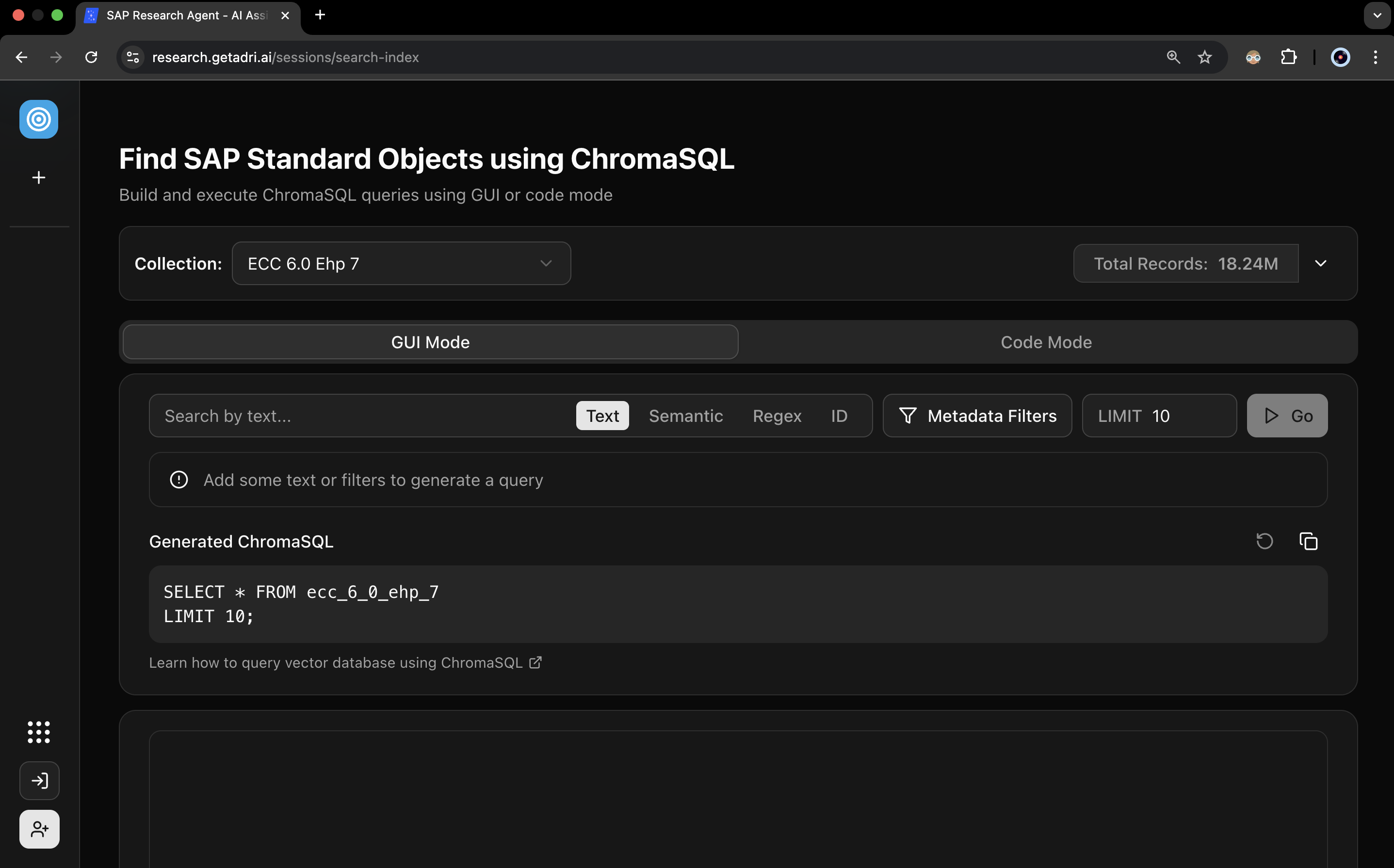
You can search standard SAP objects in the chosen ERP system using either of these methods:
- matching phrases (keyword search),
- matching meaning (semantic search),
- matching pattern (regex search)
You can also apply metadata filters such as model_name = TCode, if you want to search transaction codes only.
GUI Mode v. Code Mode
In the GUI mode, you can enter the phrases you want to search by and the generated ChromaSQL query is displayed underneath.
You can also create your own query in the Code Mode.
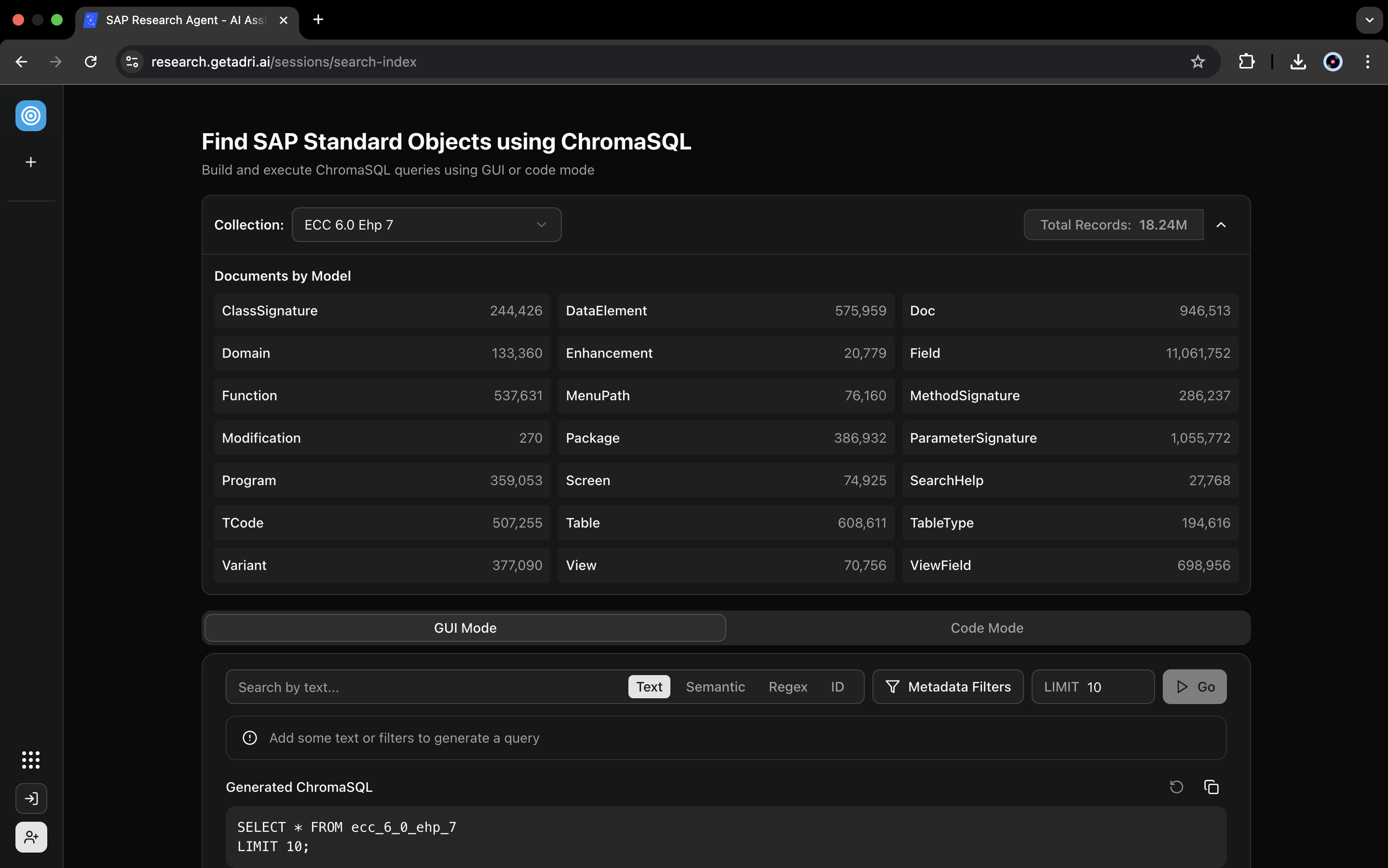
Available standard components
Below are the available standard components for an ECC 6.0 EHP 7 system.
Refer the following pages for further details.
Tutorial
Instead of running through SE11 rabbit holes and googling SAP object names, you can find any SAP object using natural language.
In this tutorial, I'm looking for a table in my ECC 6.0 system that handles special stocks from vendors (consignment), along with its fields, data elements, and domains.
Semantic search lets you query with natural language like "special stocks from vendor" and get relevant results even if those exact words don't appear in the table description. Each result shows a distance score. Lower distance means the result is semantically closer to your query—more relevant.
Query 1: Search for "Special stocks from vendor" filtered to tables only
→ Returns MKOL
Query 2: Get all fields where table = MKOL
→ Returns fields like Storage Location, Unrestricted-Use Consignment Stock, Consignment Stock in Quality Inspection
This approach could save significant time when you're working with unfamiliar modules or trying to find the right table for a specific business scenario.
How does it work?
- Embeddings: We have converted over 20 million standard SAP objects in ECC 6.0 EHP 7 into numerical vectors that capture meaning, not just keywords
- Vector database: We have stored these embeddings in ChromaDB so you can search by similarity rather than exact matches
- ChromaSQL: We built a query language to extract information from the vector database using different search types: match by text (keyword), match by meaning (semantic), filters, etc.